¶ Firmware Update & Recovery
RM-Tuner automatically detects your Firmware version and RM-Tuner when you first open the software and/or connect to the ECU.
If a new version is available on our servers a dialog window will ask you if you want to automatically download and install the new version.
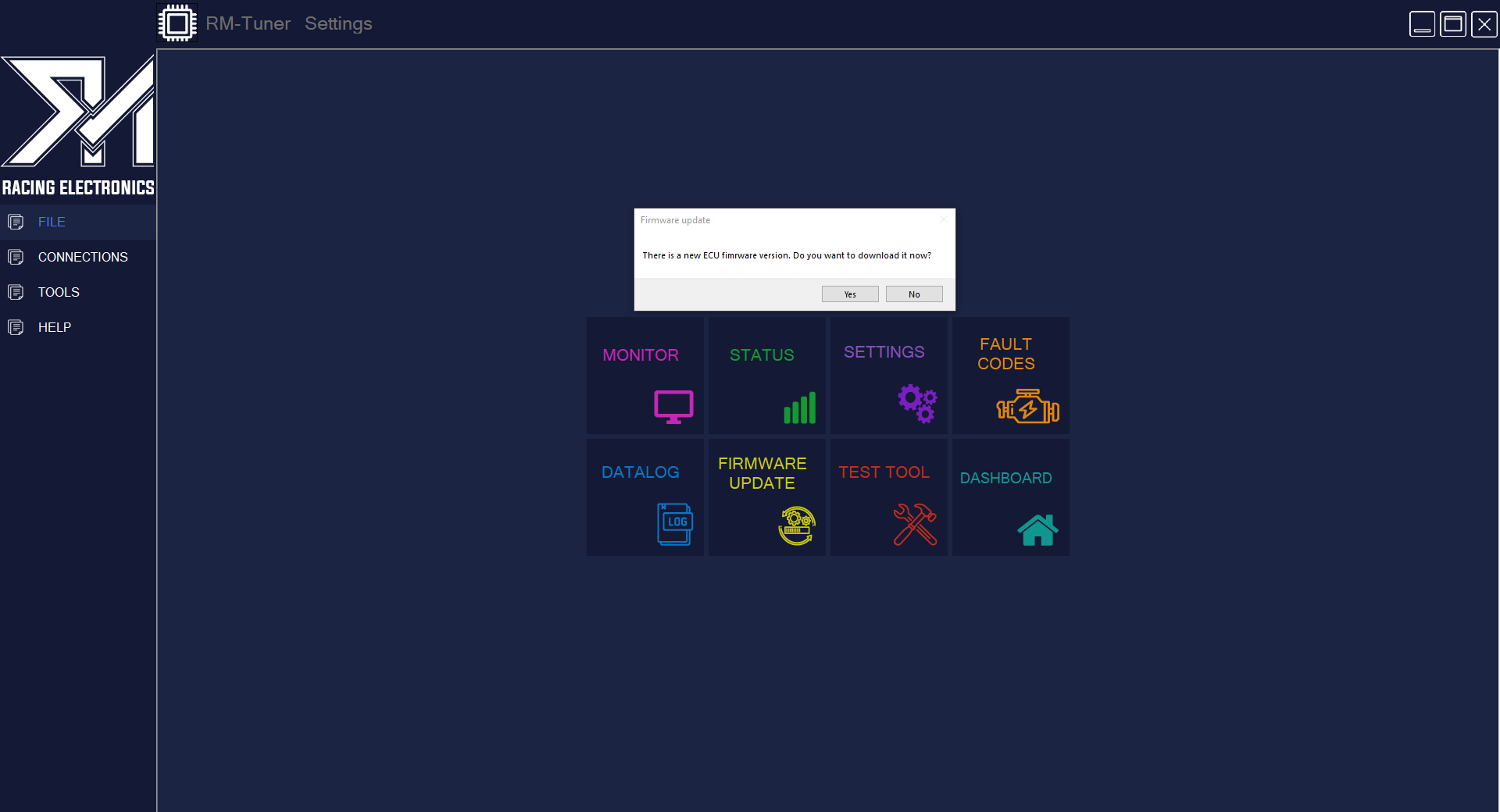
If you click on this, you will be transfered to the Firmware update menu, the firmware file will be download to your RM Tuner folder inside my documents, example-> C:\Users\mike\Documents\RM-Tuner\Firmware
All you have to do is click ''Flash Firmware''
FIRMWARE UPDATE REQUIRES ENGINE OFF
You can Also do manual Updates and check if a new version is available.
To do this just enter the Firmware Update menu, on the right hand side click on ''Connect to Server'' after connection is stablished, click on ''Firmware download''.
if a new version is available it will automatically download to the firmware folder inside the the RM Tuner folder like mentioned before, example-> C:\Users\mike\Documents\RM-Tuner\Firmware
After the file is download you can now do a manual updated whenever is more convenient for you, remember that FIRMWARE UPDATE REQUIRES ENGINE OFF
To proceed with the update click on the ''Firmware update'' button on the left hand side of the main Firmware menu, the ECU will now enter Update Mode and on the dialog window will show '' BOOTLOADER V1.3 FOUND'' this means the ECU is ready to update.
Right after that click on the ''Load File'' button and choose the most recent firmware file that was downloaded to your firmware folder on the previous step.
Lastlly, click on ''Flash Firmware'' and wait for the update bar to finish.
If the update is succesfull you can close that window and go to the main menu and start the car, the ECU will now have the most recent version of the firmware.
¶ Bricked ECU recovery
If the update process is not sucesfull, the USB cable disconnected, the laptop died or any other reason and the ecu is not working anymore, don't panic, there is always hope!
- First, close RM-Tuner and open again.
- Make sure the firmware file is inside your Firmware download folder.
- Turn the ignition OFF and then ON again.
¶ Bootloader found
Open RM-Tuner again and click on the Connect button, you will not see the Frames value increase because the Firmware is not installed or the ECU is bricked/Semi-bricked, go to the firmware update menu and click on the ''Firmware update'' button, if you see a message on the dialog saying '' BOOTLOADER V1.3 FOUND'' then proceed with loading the firmware file and trying to install again as explained on the previous steps.
If the update is not sucessfull again, contact support.
¶ Bootloader not found
If you try to recover the ECU manually but when you click the ''Firmware update'' button nothing happens or a ''Bootloader not found'' message show's up on the dialog, then your ecu is bricked and you need to contact support to get instructions of how to proceed with a recovery that forces the ECU into Bootloader mode to accept a firmware update.
Due to warranty reasons this instructions are not kept online to avoid users from disasembling their ecu's when they have minor problems that don't necesseraly require that.